


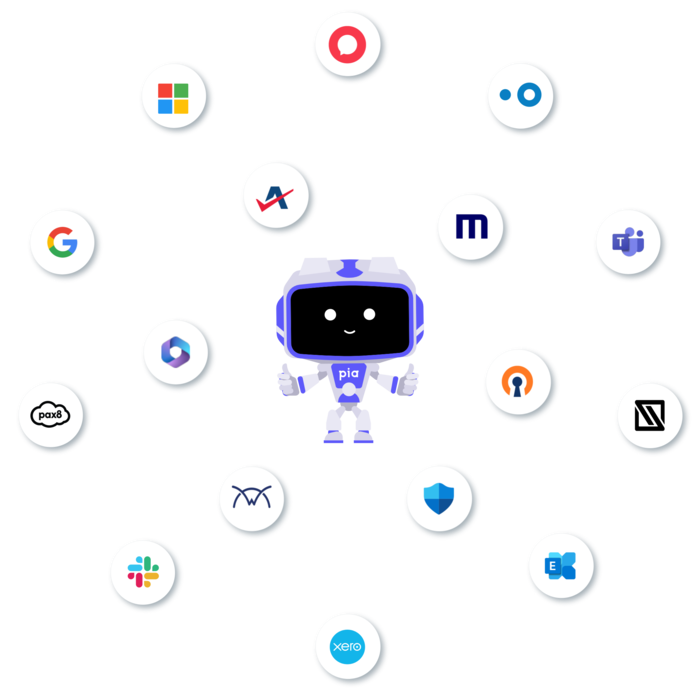
Pia runs where your technicians already work
Pia connects to your PSA first, so automations run on real tickets for real clients, with no new console for your team to learn.

ConnectWise PSA
- Syncs your companies from ConnectWise
- Reads and works tickets on the boards you choose
- Escalates to the right contact when a person is needed
- Real-time updates through webhooks

Autotask PSA
- Syncs your companies from Autotask
- Reads and manages tickets on your chosen boards
- Escalates through the boards you designate
- Real-time updates through webhooks

HaloPSA
- Syncs your companies from HaloPSA
- Picks up tickets in real time through webhooks
- Runs Pia automations on your HaloPSA tickets
Nilear for ConnectWise. Pia runs inside it on your existing ConnectWise connection, with no extra setup.
See it in action
One request. Six steps. No tabs.
Here's a new starter request. Pia picks it up in your PSA and works across your stack until it's done, so your technicians never switch screens.
Illustrative workflow. Steps and tools vary by MSP and client.
Request lands in your PSA
Pia picks up the new starter ticket
Queued
 Account created
User created with the right groups
Queued
Account created
User created with the right groups
Queued
 Mailbox set up
Mailbox and distribution lists added
Queued
Mailbox set up
Mailbox and distribution lists added
Queued
 License assigned
Microsoft 365 license deployed
Queued
License assigned
Microsoft 365 license deployed
Queued
 Onboarding call booked
Scheduling link sent to the new starter
Queued
Ticket resolved
Notes and time logged, client updated
Queued
Onboarding call booked
Scheduling link sent to the new starter
Queued
Ticket resolved
Notes and time logged, client updated
Queued
Find your stack
Search by tool or browse by category. Tools with a setup guide connect from the Pia portal with your own credentials.
PSA and ticketing
4
ConnectWise PSA
PSASyncs companies, reads and works tickets on the boards you choose, and escalates to the right contact.
ConnectWise PSA
Syncs companies, reads and works tickets on the boards you choose, and escalates to the right contact.
- ConnectWise API keys (username and password)
- Your ConnectWise hostname and authentication token
- Boards you want Pia to read and escalate to
- Webhooks installed in ConnectWise for real-time updates
PiaPacks are pre-built automation blueprints you deploy from the Automation Hub.

Autotask PSA
PSASyncs companies and reads and manages tickets on your chosen boards, with real-time updates through webhooks.
Autotask PSA
Syncs companies and reads and manages tickets on your chosen boards, with real-time updates through webhooks.
- Autotask API user credentials and tracking token
- The WebServices URL for your region
- Boards for ticket reading and escalation
- Webhooks installed in Autotask for real-time updates

HaloPSA
PSASyncs companies and picks up tickets in real time through webhooks, so automations start as soon as a ticket lands.
HaloPSA
Syncs companies and picks up tickets in real time through webhooks, so automations start as soon as a ticket lands.
- A HaloPSA API client ID and client secret
- Your HaloPSA instance URL
- Webhooks installed in HaloPSA for real-time updates
PiaPacks are pre-built automation blueprints you deploy from the Automation Hub.

Nilear
PSAPia works inside Nilear’s ConnectWise experience using your existing ConnectWise connection. No extra setup.
Nilear
Pia works inside Nilear’s ConnectWise experience using your existing ConnectWise connection. No extra setup.
- An existing ConnectWise connection in Pia. No separate setup needed
Identity and access
8
Microsoft Entra ID
IdentityCreate, reset, update and terminate user accounts with pre-built automations.
Microsoft Entra ID
Create, reset, update and terminate user accounts with pre-built automations.
- Connects through the client’s Microsoft 365 link in Pia
PiaPacks are pre-built automation blueprints you deploy from the Automation Hub.
Active Directory
IdentityRun the full on-premises account lifecycle, from new starter to termination, with pre-built automations.
Active Directory
Run the full on-premises account lifecycle, from new starter to termination, with pre-built automations.
- Set up with your Pia onboarding team as part of your automation buil
- Ask us how it fits your environment on a call
PiaPacks are pre-built automation blueprints you deploy from the Automation Hub.
Exchange Online
IdentityManage users, mailboxes and distribution lists without opening the admin center.
Exchange Online
Manage users, mailboxes and distribution lists without opening the admin center.
- Connects through the client’s Microsoft 365 link in Pia
PiaPacks are pre-built automation blueprints you deploy from the Automation Hub.

Exchange on-premises
IdentityManage users, mailboxes and distribution lists on your clients’ Exchange servers.
Exchange on-premises
Manage users, mailboxes and distribution lists on your clients’ Exchange servers.
-
Connects through the client’s Microsoft 365 link in Pia
Cisco Duo
IdentityVerify callers with a Duo push before the request is actioned, and manage Duo enrollments and phones.
Cisco Duo
Verify callers with a Duo push before the request is actioned, and manage Duo enrollments and phones.
- Duo Admin API integration key and secret key
- Your Duo API hostname
- Admin API read and write permissions
PiaPacks are pre-built automation blueprints you deploy from the Automation Hub.

Google Workspace
IdentityCreate new users and show or hide people in the company directory with pre-built automations.
Google Workspace
Create new users and show or hide people in the company directory with pre-built automations.
- Set up with your Pia onboarding team as part of your automation build
- Ask us how it fits your environment on a call
PiaPacks are pre-built automation blueprints you deploy from the Automation Hub.

Microsoft MFA
IdentityVerify a caller by SMS, email or Microsoft Authenticator before the request is actioned.
Microsoft MFA
Verify a caller by SMS, email or Microsoft Authenticator before the request is actioned.
- Connects through the client’s Microsoft 365 link in Pia
PiaPacks are pre-built automation blueprints you deploy from the Automation Hub.

OneTimeSecret
IdentityShare new account credentials through a one-time link that expires once it has been opened.
OneTimeSecret
Share new account credentials through a one-time link that expires once it has been opened.
- Set up with your Pia onboarding team as part of your automation buil
- Ask us how it fits your environment on a call
PiaPacks are pre-built automation blueprints you deploy from the Automation Hub.
Communication
6
Microsoft Teams
CommunicationHome of Pia Chat. Clients raise requests in their own Microsoft Teams and Pia resolves them in the conversation.
Microsoft Teams
Home of Pia Chat. Clients raise requests in their own Microsoft Teams and Pia resolves them in the conversation.
- Connects through the client’s Microsoft 365 link in Pia

Slack
CommunicationUse Slack as a channel for Pia updates and automations.
Slack
Use Slack as a channel for Pia updates and automations.
- A Slack bot token from your workspace

Microsoft 365 email
CommunicationSend automation alerts and client updates from your own Microsoft 365 mailbox.
Microsoft 365 email
Send automation alerts and client updates from your own Microsoft 365 mailbox.
- A mailbox to send from
- A Microsoft account to authorize Pia (OAuth)
PiaPacks are pre-built automation blueprints you deploy from the Automation Hub.

Burst SMS
CommunicationText clients and technicians straight from Pia automations.
Burst SMS
Text clients and technicians straight from Pia automations.
- Your Burst SMS API key and secret

TimeZest
CommunicationSend scheduling links automatically for onboarding calls, quotes, support sessions and onsite visits.
TimeZest
Send scheduling links automatically for onboarding calls, quotes, support sessions and onsite visits.
- A TimeZest account with appointment types set up
- A TimeZest API key
PiaPacks are pre-built automation blueprints you deploy from the Automation Hub.

RingCentral
CommunicationBuild custom automations around your RingCentral phone system.
RingCentral
Build custom automations around your RingCentral phone system.
- Set up with your Pia onboarding team as part of your automation build
- Ask us how it fits your environment on a call
Cloud licensing
6
Pax8
LicensingBuy and remove licenses through Pia's core license automations.
Pax8
Buy and remove licenses through Pia's core license automations.
- A Pax8 account email to authenticate with OAuth

Microsoft Partner Center
LicensingBuy and remove Microsoft licenses through Pia's core license automations.
Microsoft Partner Center
Buy and remove Microsoft licenses through Pia's core license automations.
- Global Administrator access
- App ID and API key from Partner Center
- Account ID, Commerce ID and API domain

Sherweb
LicensingBuy and remove licenses through Pia's core license automations.
Sherweb
Buy and remove licenses through Pia's core license automations.
- Sherweb client ID, client secret and subscription key
- API scope and authentication URL
Ingram Micro
LicensingBuy and remove licenses through Pia's core license automations.
Ingram Micro
Buy and remove licenses through Pia's core license automations.
- Ingram Micro API URL, subscription key and marketplace
- Ingram Micro developer account username and password

Dicker Data
LicensingBuy and remove licenses through Pia’s core license automations.
Dicker Data
Buy and remove licenses through Pia’s core license automations.
- Dicker Data API URL, account code and access token
- Requested from Dicker Data integration support

rhipe
LicensingManage software and cloud subscriptions through Pia’s core license automations.
rhipe
Manage software and cloud subscriptions through Pia’s core license automations.
- Client ID and client secret from the PRISM portal
- rhipe API and authentication URLs
Email and security
5
Microsoft Defender
SecurityManage email filtering and release quarantined messages.
Microsoft Defender
Manage email filtering and release quarantined messages.
- Connects through the client’s Microsoft 365 link in Pia

Mimecast
SecurityConnect Mimecast so everyday mail filtering requests can be automated.
Mimecast
Connect Mimecast so everyday mail filtering requests can be automated.
- Mimecast application ID and application secret
- Access key and secret key
- Your region-specific API endpoint

SpamTitan
SecurityConnect SpamTitan so everyday mail filtering requests can be automated.
SpamTitan
Connect SpamTitan so everyday mail filtering requests can be automated.
- Your SpamTitan URL
- Application ID and SpamTitan token from RestAPI keys

ManageProtect
SecurityUpdate allow and block lists without opening another console.
ManageProtect
Update allow and block lists without opening another console.
- ManageProtect authentication token and app ID
- Username, password and instance URL

AbuseIPDB
SecurityCheck IP reputation with AbuseIPDB inside spam and security review automations.
AbuseIPDB
Check IP reputation with AbuseIPDB inside spam and security review automations.
- Set up with your Pia onboarding team as part of your automation build
- Ask us how it fits your environment on a call
Documentation
2
IT Glue
DocumentationKeeps IT Glue documentation current as client status, tags and automation settings change in Pia.
IT Glue
Keeps IT Glue documentation current as client status, tags and automation settings change in Pia.
- Your IT Glue API URL and API key
- A Flexible Asset Type to hold Pia documentation

SharePoint
DocumentationExtend automations into SharePoint sites and documents with custom workflows.
SharePoint
Extend automations into SharePoint sites and documents with custom workflows.
- Set up with your Pia onboarding team as part of your automation build
- Ask us how it fits your environment on a call
Client portals
2
CloudRadial
Self-serviceClients open SmartForms right inside the CloudRadial portal, so requests arrive complete.
CloudRadial
Clients open SmartForms right inside the CloudRadial portal, so requests arrive complete.
- Client Microsoft 365 linked in Pia through Microsoft Graph
- SmartForms enabled for the client
- Forms switched on and user access assigned

Thread
Self-serviceClients submit SmartForms through Thread's Magic Agent in Microsoft Teams, with no portal login.
Thread
Clients submit SmartForms through Thread's Magic Agent in Microsoft Teams, with no portal login.
- Your Thread embed key and Pia app API secret
- Client Microsoft 365 linked in Pia
- SmartForms enabled for the client
RMM and network
2
Datto RMM
RMM and networkRun Datto RMM quick jobs and track devices straight from the ticket.
Datto RMM
Run Datto RMM quick jobs and track devices straight from the ticket.
- Set up with your Pia onboarding team as part of your automation buil
- Ask us how it fits your environment on a call
PiaPacks are pre-built automation blueprints you deploy from the Automation Hub.

UniFi
RMM and networkRestart UniFi access points straight from the ticket.
UniFi
Restart UniFi access points straight from the ticket.
- Set up with your Pia onboarding team as part of your automation buil
- Ask us how it fits your environment on a call
PiaPacks are pre-built automation blueprints you deploy from the Automation Hub.
Remote access and VPN
6
Azure VPN
Remote accessConfigure VPN access for users with pre-built automations.
Azure VPN
Configure VPN access for users with pre-built automations.
- Set up with your Pia onboarding team as part of your automation buil
- Ask us how it fits your environment on a call

OpenVPN
Remote accessDeploy VPN access to users with pre-built automations.
OpenVPN
Deploy VPN access to users with pre-built automations.
- Set up with your Pia onboarding team as part of your automation buil
- Ask us how it fits your environment on a call

SonicWall
Remote accessDeploy SonicWall VPN access to users with pre-built automations.
SonicWall
Deploy SonicWall VPN access to users with pre-built automations.
- Set up with your Pia onboarding team as part of your automation buil
- Ask us how it fits your environment on a call
Windows VPN
Remote accessSet up VPN connections on user devices.
Windows VPN
Set up VPN connections on user devices.
- Set up with your Pia onboarding team as part of your automation buil
- Ask us how it fits your environment on a call

Windows RDS and RD Web
Remote accessConfigure and troubleshoot user access to Remote Desktop Services.
Windows RDS and RD Web
Configure and troubleshoot user access to Remote Desktop Services.
- Set up with your Pia onboarding team as part of your automation buil
- Ask us how it fits your environment on a call
Azure Virtual Desktop
Remote accessAutomate common virtual desktop requests with pre-built and custom automations.
Azure Virtual Desktop
Automate common virtual desktop requests with pre-built and custom automations.
- Set up with your Pia onboarding team as part of your automation buil
- Ask us how it fits your environment on a call
PiaPacks are pre-built automation blueprints you deploy from the Automation Hub.
Finance
1
Xero
FinanceBuild custom automations that connect service delivery to your accounting workflows.
Xero
Build custom automations that connect service delivery to your accounting workflows.
- Set up with your Pia onboarding team as part of your automation build
- Ask us how it fits your environment on a call
No match for that one yet
If it has an API, your team can connect it today as a custom integration. Or tell us what you need and we'll look at adding it.
Request an integration