Pia Chat Walkthrough: From Conversation to Resolution
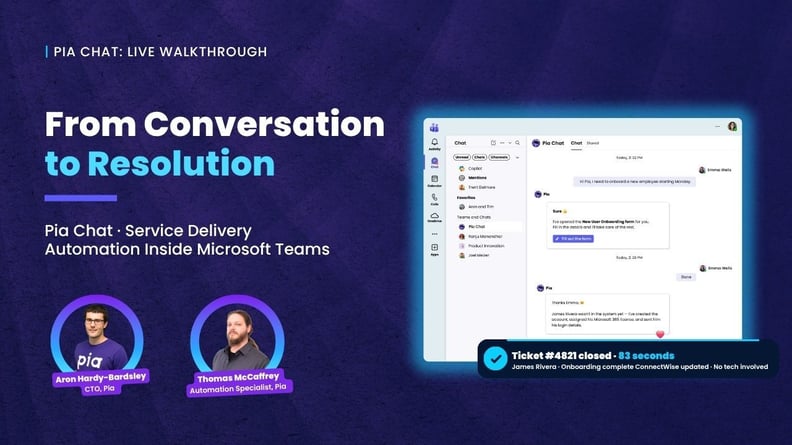
Pia Chat brings service delivery automation to the place your clients already work: Microsoft Teams. End-users describe what they need in plain language. Pia Chat interprets intent, qualifies the request, and resolves it through automation before a ticket needs to be logged. When automation can't fully resolve, Pia Chat creates a structured ticket with context already captured, and ties everything back to your PSA: ConnectWise, Autotask, or HaloPSA.
In this walkthrough, Aron Hardy-Bardsley (CTO) and Thomas McCaffery (Product Specialist) cover:
- How Pia Chat resolves tickets at the point of conversation through AI, SmartForms, and automated actions
- Two-way ticket chats between end users and technicians, all inside Microsoft Teams and tied back to the PSA
- Technician-side experience: ticket chat directly inside the PSA, without leaving the ticket
- One-click deployment per client, with branding and workflow configuration per Partner
- Pricing and how to get started
Why service delivery automation belongs inside Microsoft Teams
For most MSPs, the gap between a client noticing a problem and the service desk doing something about it is full of friction. End-users open a different app, fill in a form, choose categories they don't understand, then wait. Tickets arrive without context. Technicians chase clarifications. Clients chase status.
Pia Chat closes that gap by moving service delivery to where clients already spend their day. Inside Microsoft Teams, end-users simply describe what they need, and Pia Chat handles the rest. Common requests get resolved instantly through pre-built or custom automations. More complex requests get qualified, structured, and routed into the PSA with the full context attached. Either way, the user gets a clear answer, a ticket reference if one is needed, and an ongoing chat to follow updates.
Built for the PSA you already run
Pia Chat works natively with ConnectWise, Autotask, and HaloPSA. Tickets, notes, statuses, and ownership flow into your PSA exactly as your team expects, with no parallel systems, no shadow workflows. Technicians respond from inside the PSA they already use, and their messages appear directly in the client's Teams chat. Ticket history, AI-generated summaries, and conversation context stay tied to the ticket record.
For Partners, configuration sits in the Pia portal. Branding, workflows, intents, automated actions, and per-client overrides are all managed centrally. One-click deployment per client handles app registration, service principal creation, and Teams app catalog upload automatically, with no manual Microsoft Graph configuration.
What's inside the walkthrough
Aron and Thomas demonstrate Pia Chat working end-to-end in live partner environments. You'll see real-time AI-led ticket resolution, SmartForms triggering zero-touch automations, end-user-to-technician chat threads tied back to ConnectWise and HaloPSA, and the configuration experience inside the Pia portal. The session also covers Pia Chat's commercial model and how to get started.
Pia Chat is an add-on to the Pia service delivery automation platform.