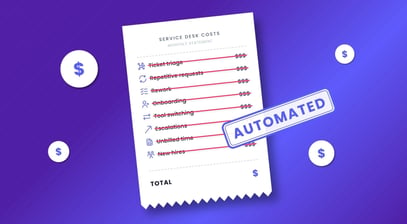

The modern service desk in 2026 operates under conditions that strain traditional support models. For MSPs, modern service desk automation isn't a nice-to-have. It's the only viable path to scaling service delivery without scaling headcount. The pressure comes from multiple directions at once:
- Ticket volume grows faster than technician capacity.
- Hybrid work environments create constant device turnover.
- SaaS adoption expands the number of systems that require provisioning, monitoring, and access control.
- Clients with varied environments that were handled inconsistently by previous providers, which increases the number of exceptions and undocumented configurations.
- Security requirements increase the number of checks and remediation steps that teams must complete.
These pressures create a service environment where manual work becomes a bottleneck. Automation enters the picture as a structural requirement for operational continuity, and a focused and controlled process is required before any automation initiative can begin.
Navigating Change Management and Technician Hesitation
Technicians often hesitate when leaders introduce automation. Hesitation rarely comes from resistance to new tools. It usually comes from uncertainty about how automation will change their daily work.
Many technicians have experienced poorly designed scripts, poorly thought-out initiatives, or half-baked plans that did not account for real operational conditions. These patterns create a sense that automation introduces risk when handled without care. A lack of clear ownership and weak change management practices increase this risk.
A more accurate view frames automation as a modernization of the service desk. The goal is to remove repetitive tasks, so technicians can focus on complex issues that require judgment and spend more time on the human parts of service delivery. This approach utilizes technician strengths and delivers increased consistency of service delivery for clients.
Layers of Automation in the Modern Service Desk
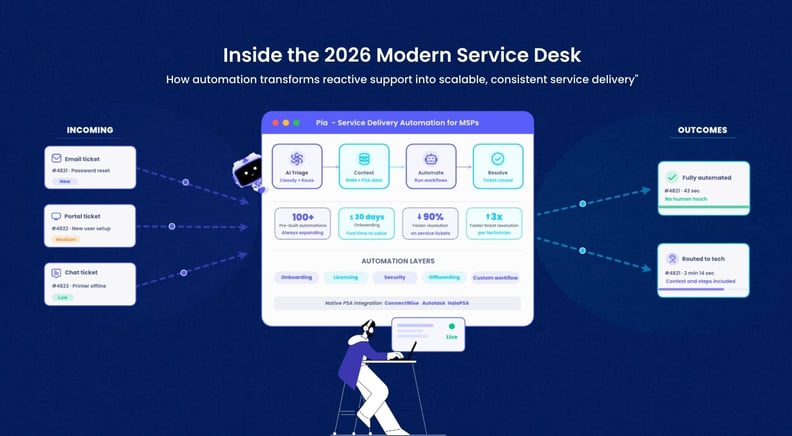
Effective modern service desk automation isn't a single switch you flip. It operates across four distinct layers, each building on the one before it.
Layer 1: Intake and Triage
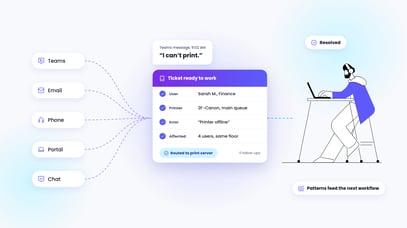
Intake and triage provide the first layer. Tickets arrive through email, chat, voice, or portal. AI systems classify the issue, extract relevant details, and assign priority. Dispatchers and technicians waste time sorting and routing requests when this layer is absent.
Layer 2: Gathering Context
When a technician opens a ticket, the system surfaces:
- Device health from the RMM
- License status from the CSP or M365 or other SaaS products
- Recent configuration changes
- Relevant documentation
- Previously related issues for that user
- Issues for other staff in the same organization
- Issues at other companies with similar patterns
This eliminates the back-and-forth that consumes a large portion of technician time and increases the consistency of responses.
A modern service desk also leverages tools that assist with writing responses to tickets or automates the responses entirely. It automates follow-up for tickets waiting on customer responses. It can also reach out proactively when historical patterns show that a specific piece of information is usually missing at this stage. These capabilities reinforce consistent communication and reduce delays.
Layer 3: Expanding Automation Beyond Triaging Tickets
User onboarding remains the most common entry point for automation. The workflow contains many steps, touches multiple systems, and affects the first impression a client receives.
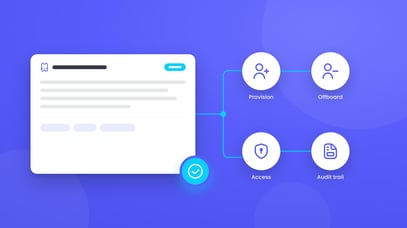
Automated onboarding provisions accounts, assigns licenses, configures groups, applies security policies, creates mailboxes, and updates documentation. License procurement from CSPs supports this pattern by linking provisioning with workflow execution.
MSPs often expand from onboarding into license lifecycle automation. This includes license adds, upgrades, reclamation, and offboarding. Triggers come from HR events, PSA tickets, or changes in group membership. Automated workflows adjust licenses, update billing, and maintain documentation. This reduces overspend and improves accuracy during audits and increases consistency across clients.
Security-driven automation forms another major category. Access reviews, conditional access enforcement, MFA resets, device isolation, and remediation of common vulnerabilities follow predictable patterns. Automated workflows reduce response time and remove the risk of human error. These workflows also create consistent enforcement of security policies across all clients.
Ongoing operational workflows extend automation beyond day one. Patch orchestration, scheduled health checks, QBR report generation, contract renewal workflows, documentation updates, backup verification, and license usage reporting reduce manual touchpoints and create a more predictable service model. These workflows also reinforce consistent execution of routine tasks.
Layer 4: Selecting What to Automate
Selecting what to automate requires a structured and blended approach. Modern MSPs gather requests from technicians and reward the most impactful ideas. They also use a data-driven method that depends on strong ticketing hygiene practices such as accurate categorization and clear resolution steps. Useful metrics include:
- Time per ticket category
- Time per client
- Time per ticket category per client
- Reopen rate per category
- Rework per category
- Customer satisfaction per category
- Technician error rate per category
Leadership teams also review categories of work that require senior technicians only because the tasks involve highly privileged access. Well-designed automation can apply guardrails that allow junior staff to complete these tasks safely. This reduces cost and increases consistency across the team.
More advanced MSPs combine multiple systems into unified workflows. A common pattern begins when a deal is marked Closed Won in the PSA.
- A workflow generates the statement of work and sends it for signature.
- Licenses are provisioned through the CSP.
- Security SaaS software applies tenant configuration of standard policies automatically.
- Pia or another orchestration tool runs onboarding tasks.
- Documentation updates automatically.
- Billing syncs with the PSA.
- The client receives a welcome message.
This sequence reduces the time between sale and service activation and removes many manual steps while maintaining consistent execution.
Why Automation Initiatives Might Fail
Automation initiatives fail when teams automate inconsistent or undocumented processes. A broken workflow becomes more chaotic when automated.
Teams also fail when staff are not allocated time to complete the work. A staff member who is disconnected from the service desk may struggle to navigate missing documentation. Management teams that are not fully aligned may block progress in subtle ways. Some teams assume that the right software automatically solves operational problems. Without a clear understanding of internal processes, even the best technology remains ineffective. These conditions reduce the consistency of automation outcomes.
Another common failure occurs when teams lack clear success metrics. Without metrics, leaders cannot measure ROI or justify further investment. Tool sprawl creates another problem. Too many disconnected tools increase complexity. Governance failures introduce security and compliance risks. Teams that attempt to automate everything at once often stall. A more effective approach begins with a single workflow, proves value, and expands from there. This approach increases consistency and reduces operational risk.
Automation as the Central Processing Unit of Your MSP
Automation functions as the central processing unit of the modern MSP. It coordinates systems, reduces manual effort, and improves execution at scale. It supports technicians by removing repetitive tasks and allowing them to focus on complex issues. It supports clients by providing faster and more predictable service. It supports the business by improving margins and reducing operational risk.
The Future of Your Service Desk
The service desk in 2026 operates in an environment that rewards consistency, clarity, and structured execution. Modern service desk automation provides the mechanism to achieve these qualities at scale. The organizations that invest in careful process mapping, thoughtful workflow design, and steady expansion of automation capabilities create a service model that remains stable under pressure. The result is a more predictable experience for clients, a more focused workload for technicians, and a more resilient business.
A 90-Day Approach to Automation
A practical approach to automation begins with a 90-day sprint.
- Select a high-value workflow. User onboarding, license reclamation, MFA resets, or mailbox creation are suitable starting points.
- Map the process and identify inconsistencies.
- Build the automation using an orchestration tool.
- Pilot the workflow with one client and gather feedback.
- Roll out across all clients and monitor metrics.
This approach increases consistency and produces better outcomes for clients, technicians, and the business.
What Service Delivery Automation Looks Like With Pia
Modern service desks don't scale on manual effort. They scale on structured automation. The MSPs pulling ahead in 2026 are the ones who've made it a core operational discipline, not a side project.
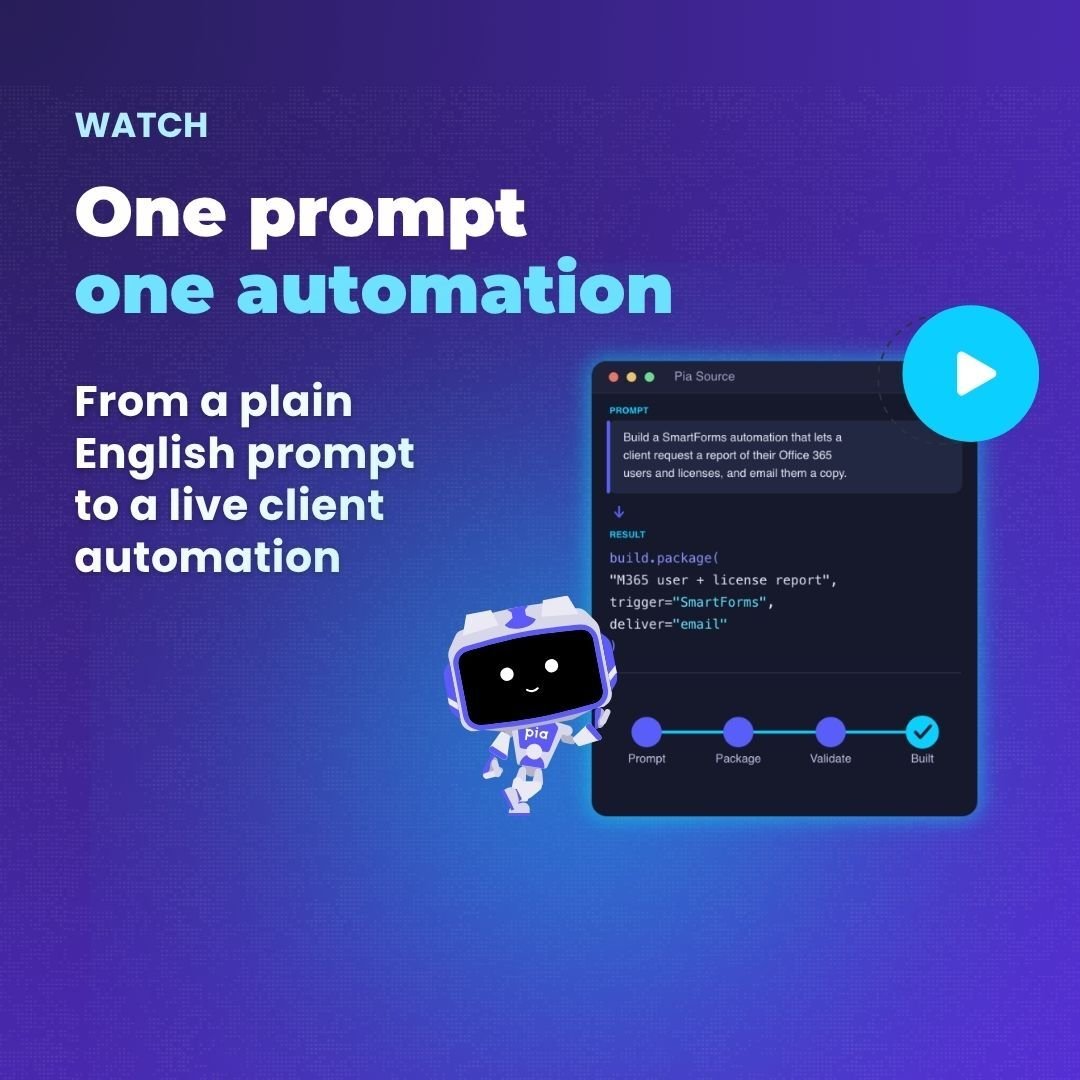
Pia is a service delivery automation platform built specifically for MSPs. It handles triage, onboarding, licensing, and security workflows in one place, with 100+ pre-built automations that are ready from day one. No custom dev work, no lengthy implementation. Teams go live in under 30 days and start reclaiming technician time immediately.
If you're mapping out your next automation initiative, we'll show you exactly how Pia fits into your service model. Schedule a demo and see it in practice.