
Let’s be real - MSPs aren’t short on AI options. They’re drowning in them.
Every week, there’s a new platform promising “AI-powered” automations, faster resolutions, and smarter IT service desks. The demos look similar, the language sounds familiar, and after a while, everything starts to blur together.
This is what makes finding the best AI platforms for IT automation so complicated.
When every tool claims to be intelligent, it becomes hard to tell whether you’re buying real AI-driven automation that can adapt, learn, and make IT tasks faster and easier, or just glorified scripting wrapped in buzzwords.
This guide is here to help cut through the noise.
These are four red flags and four green flags that will help you quickly tell the difference between true intelligent IT automation versus static rules engines disguised as AI marketing.
Red Flags
First, let’s start with the red flags.
Red flag #1: “One size fits all” promises from AI IT vendors
No two MSP environments look the same. Ticket volume, service maturity, documentation hygiene, approval structures, tool stacks, processes, staffing, and even client expectations vary widely from MSP to MSP, and often from department to department.
So, when a vendor claims their AI “works for every MSP” or “just plugs in,” this should not instill confidence; this should serve as a red flag.
Real service desks aren’t polished demo environments. Tickets arrive half-written, documentation is inconsistent, edge cases are constant, exceptions outnumber clean patterns, and human nuance sits at the center of nearly every escalation.
AI that ignores these realities won't suddenly simplify operations – it will push the complexity back onto your team once the contract is signed.
When a vendor promises a universal AI model that works identically for everyone, it usually means:
- They haven’t accounted for messy real-world data.
- They expect you to adjust your processes to fit their product.
- They lack the maturity to build contextual decisioning tuned to your environment.
- They rely on static logic that breaks as soon as your workflows deviate from their demo path.
- What data their AI is reading
- How that data is being processed, stored, or used
- Whether your data is used to train anything
- What models or logic sits behind decisions
- What guardrails prevent unsafe or unauthorized actions
- What happens when the AI is wrong or uncertain
- What’s making decisions versus executing steps?
- How does the system handle uncertainty or low confidence?
- What happens when the AI is wrong?
- Who approves sensitive actions?
- What gets recorded for audit and review?
The result?
You end up rebuilding workflows, compensating for gaps, managing unpredictable outcomes, and explaining inconsistent behavior to clients.
AI is not a one-size-fits-all solution. Platforms that pretend otherwise signal a deeper truth:
they haven’t built the operational depth, flexibility, or intelligence required to support real MSP environments.
Red flag #2: They offer buzzwords instead of specifics about how their AI actually works
Many vendors lean on terms like “AI‑powered,” “intelligent automation,” or “autonomous support” for their own marketing tactics and not truly because the underlying technology is intelligent. When a vendor relies on marketing language instead of being able to explain the mechanics, it’s a sign they’re treating AI as a shiny object rather than a powerful (and sometimes unsafe) decisioning system that requires real guardrails.
AI is not magic. It is a probabilistic system that can be wrong, unpredictable, and unsafe if implemented without boundaries. That’s why you need to understand exactly what the platform is doing with your data and what protections exist when, not if, the AI makes an incorrect classification, suggestion, or action.
If a vendor can’t clearly articulate:
…then you’re not evaluating an AI platform - you’re evaluating a marketing story.
You cannot trust a solution you don’t understand.
And you definitely cannot trust a vendor who can’t explain the risks, limits, and safeguards of the AI they’re selling.
Red flag #3: They can’t explain if their IT platform uses AI to make decisions or just automate steps
Many tools marketed as AI are actually just running predefined actions. There is value in standard automation, but it is not the same as an AI system that interprets messy inputs and determines what should happen next.
Automation follows clear instructions. It runs a script, updates a field, or routes a ticket as long as the inputs match a known pattern.
Decision-making AI does something different. It analyzes context, identifies intent, evaluates uncertainty, and determines the right path forward even when the request is incomplete or unclear. It can decide whether a ticket belongs in onboarding, access, troubleshooting, or another category, and it knows when to hand off to a human.
This difference affects how well work moves through your service desk. When AI helps with decision-making, you see fewer misrouted tickets, less manual sorting, and more consistent outcomes.
If a vendor cannot clearly explain which parts of their system are making decisions and which parts are simply executing tasks, you cannot evaluate how safe, accurate, or reliable the platform will be in your environment. A credible vendor should always be able to show where the AI is thinking, where automation is acting, and how the system avoids mistakes.
Red flag #4: Your team has to build everything by hand before seeing any value
If an automation platform only works after your team manually builds flows, maps conditions, and defines every possible scenario, the system is not intelligent. It is simply executing whatever logic you create for it.
Some configuration is normal, but you should not have to architect every decision path just to handle routine ticket types. When a platform depends on heavy flow building, progress slows because your team is constantly designing rules, updating logic, and troubleshooting exceptions. Each change requires more testing and more effort, which increases inconsistency and adds operational burden.
If the platform requires your team to structure and maintain most of the logic before it can provide value, it is not reducing complexity. It is shifting that complexity onto your technicians and increasing the long‑term cost of ownership.
AI IT automation green flags
Now that we’ve covered what to avoid, here are signs your AI IT automation vendor knows what they’re doing. And can actually make your service desk more efficient.
Green light #1: They’re clear about what their AI platform does (and more importantly, what it doesn’t do)
A strong AI vendor is transparent about how their system works. They can explain which parts of the platform make decisions, which parts rely on automation, and where human oversight is still required. They also outline the specific AI safeguard guardrails in place, such as approval paths, confidence thresholds, escalation points, and controls that prevent unsafe or unauthorized actions.
This level of clarity matters because it gives your team a realistic understanding of what the system can handle on its own and where human review is needed. You know how the AI behaves, what it should and should not be trusted with, and how the platform protects you when the AI is uncertain or incorrect.
When boundaries and guardrails are clearly defined, your team spends less time diagnosing unexpected behavior and more time operating with confidence. A vendor that can explain these details is far more likely to support consistent and safe adoption of AI in your service desk.
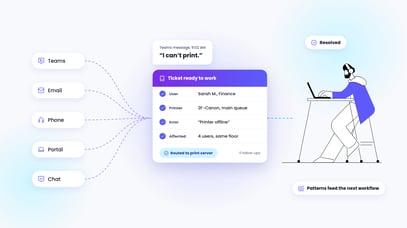
Green light #2: The AI platform understands IT ticket context, not just keywords. And knows how to spot patterns.
A strong AI platform does more than scan for keywords. It interprets the entire context of a ticket, including what the user is asking for, their past interactions, the environment they work in, and how similar issues were resolved before. This richer understanding leads to more accurate classification, better prioritization, and fewer misunderstandings that require manual correction.
Context-aware AI also improves the quality of automation already in place. When the system understands intent rather than isolated phrases, the right actions run more often and with fewer adjustments from your team.
Over time, the best AI systems identify recurring patterns across your ticket data. They learn how certain requests typically behave, how they should be handled, and where your team spends unnecessary effort. This allows the platform to improve outcomes without requiring constant rule updates or fine-tuning behind the scenes.
When an AI platform can interpret context and recognize patterns, it becomes a reliable partner to your service desk rather than another tool your team has to babysit.
Green light #3: It works where your team already works and can carry tickets all the way to the finish line
A strong AI platform operates directly inside the tools your team uses every day. Your technicians should not have to switch between systems or chase information across separate dashboards. The AI should classify, route, document, and complete work inside your PSA with clear visibility and reliable audit trails.
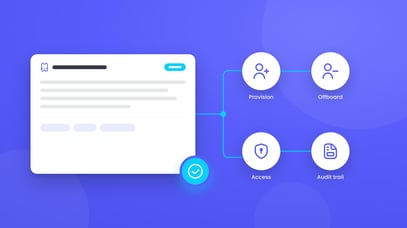
Real value shows up when the platform can move a request through the entire workflow. The best systems coordinate actions across identity platforms, cloud services, RMM tools, and your documentation stack. Each step aligns with the context of the ticket, and each outcome is recorded in the system your team relies on.
This reduces friction, prevents gaps in the process, and ensures that work progresses smoothly from start to finish without your technicians needing to rebuild the workflow by hand.
Green light #4: The AI IT platform includes built-in guardrails and clear human controls
Reliable AI platforms never operate without safety boundaries. The vendor should show exactly how the system ensures safe execution in a live service desk, including when automation can run independently and when a technician needs to review or approve an action. Strong platforms make these controls visible, predictable, and easy to manage.
This includes defined approval paths for sensitive actions, clear access and permission structures, confidence indicators that show how certain the AI is before taking action, and full audit visibility into what happened and why. If something behaves unexpectedly, your team should be able to trace the reasoning, reverse the action when appropriate, and understand how the system will avoid repeating the mistake.
These guardrails matter because errors affect far more than productivity. They influence security posture, client trust, and your internal confidence in the AI itself. Platforms designed with strong safety controls let your team move faster without feeling exposed, because every action has oversight, accountability, and a clear way to intervene when needed.
How to pressure-test an AI IT platform’s claims
When you’re talking to AI IT vendors, the goal isn’t to be impressed, it’s to figure out whether their platform will actually hold up in your environment.
Start by getting out of demo mode.
Ask to see how the platform works with your real ticket data. Classification, prioritization, and recommendations should reflect how your service desk operates, not a clean, fictional example.
If everything only works in a perfectly labeled dataset, that’s useful to know early on.
Next, walk through a real request end-to-end. One ticket. Multiple systems. Clear visibility into what ran, what didn’t, and why.
You should be able to see how decisions are made, how actions are logged, and what happens when something doesn’t go as expected.
Then ask hard questions and don’t accept vague answers.
Pay attention to what’s explained clearly and what gets glossed over. That contrast usually tells you more than the feature list.
The goal here isn’t to move fast, it’s to avoid rework and surprises, create consistency in your environment and end up with a platform that is working for you after implementation.
Need help making a decision for a future AI IT platform? Download our vendor evaluation checklist here.
Hi, we’re Pia
We know you're drowning in promises from AI vendors promising to automate your entire IT service desk. We’re not one of them.
We built Pia to cut through the AI hype with IT automation that actually helps you close tickets faster.
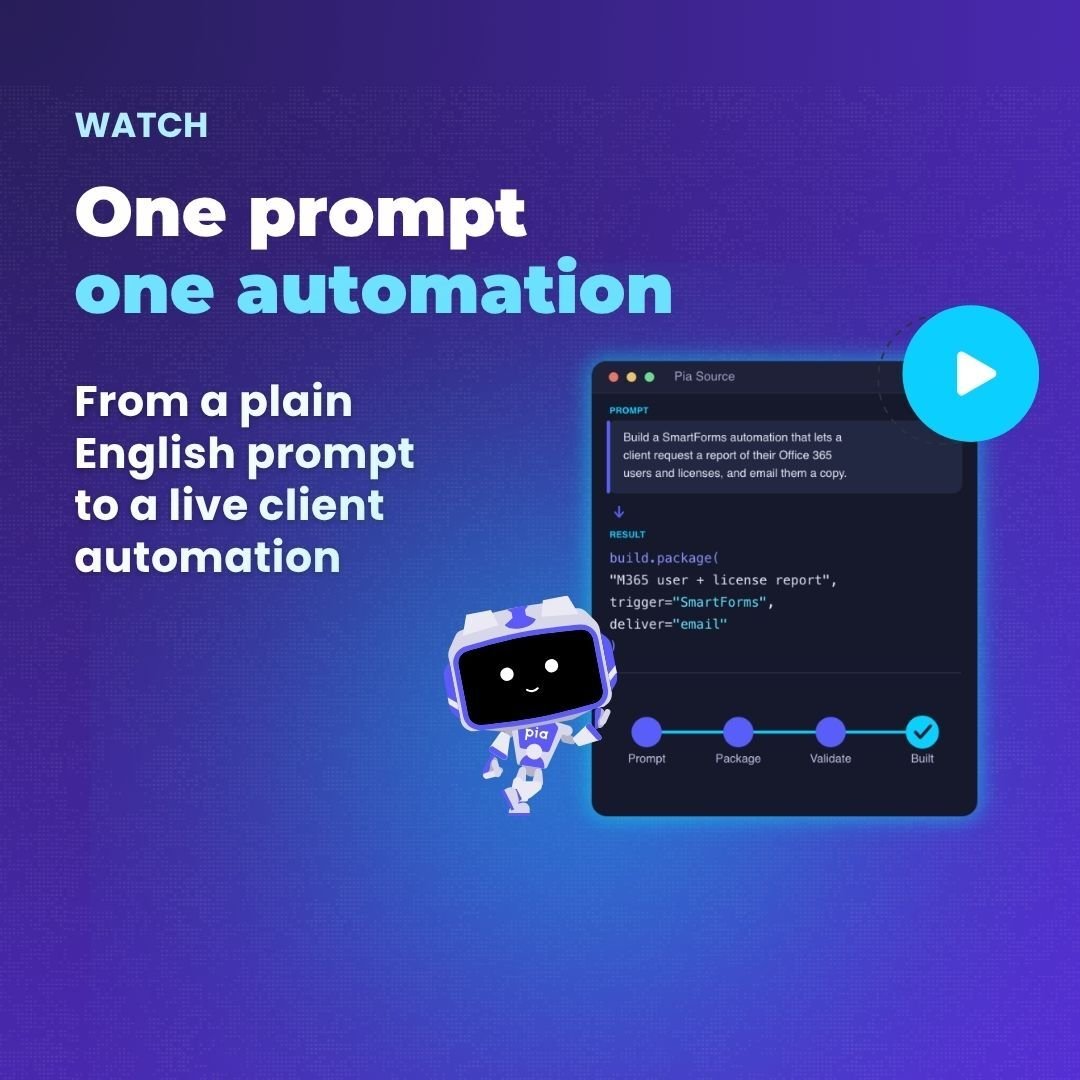
With AI-powered triage and 60+ pre-built automations designed for IT environments, MSP teams can grow and scale, without always having to add more staff every time they take on new clients.
We’d love to show you how our AI IT automation platform makes your service desk more scalable and consistent. Set up a demo today.